How to Configure and Use Knowledge Base in Zoho SalesIQ
Here is our approach for configuring and using the knowledge base in Zoho SalesIQ
Even a non-technical person can easily set it up in just a few steps.
❦
Approach
We can configure and use the knowledge base in Zoho SalesIQ using the steps given below
1.Enable Knowledge Base in Widget Settings
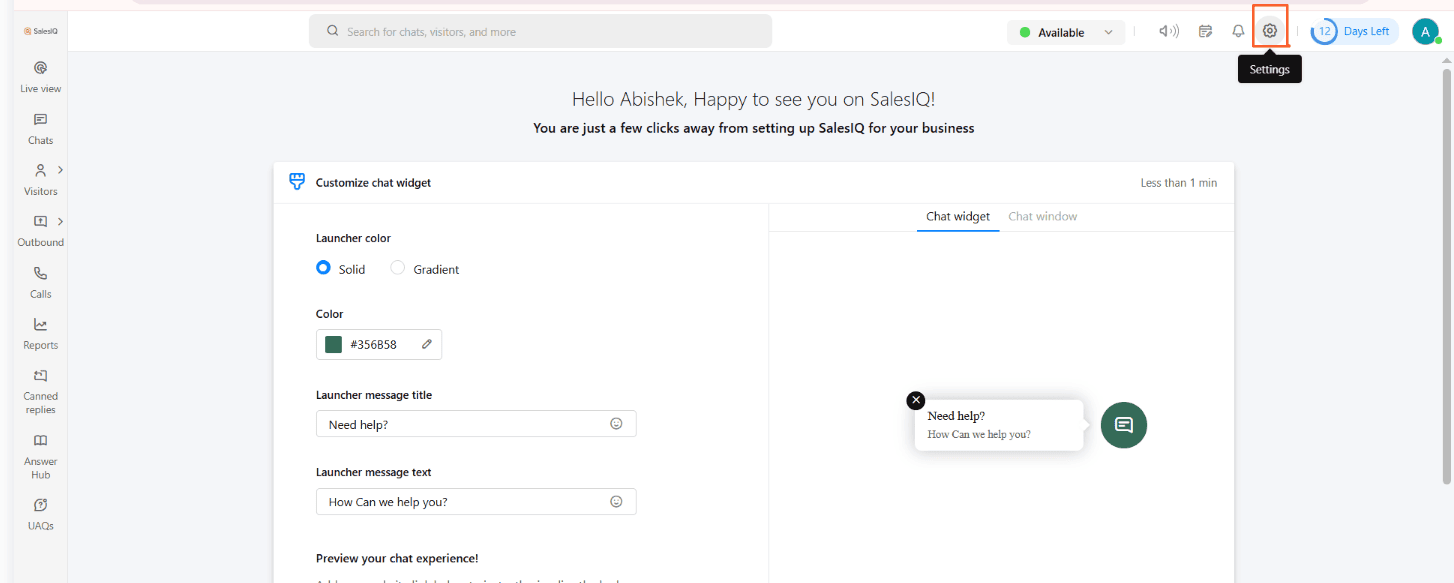
1.1 Open **Settings** from the bottom-left sidebar
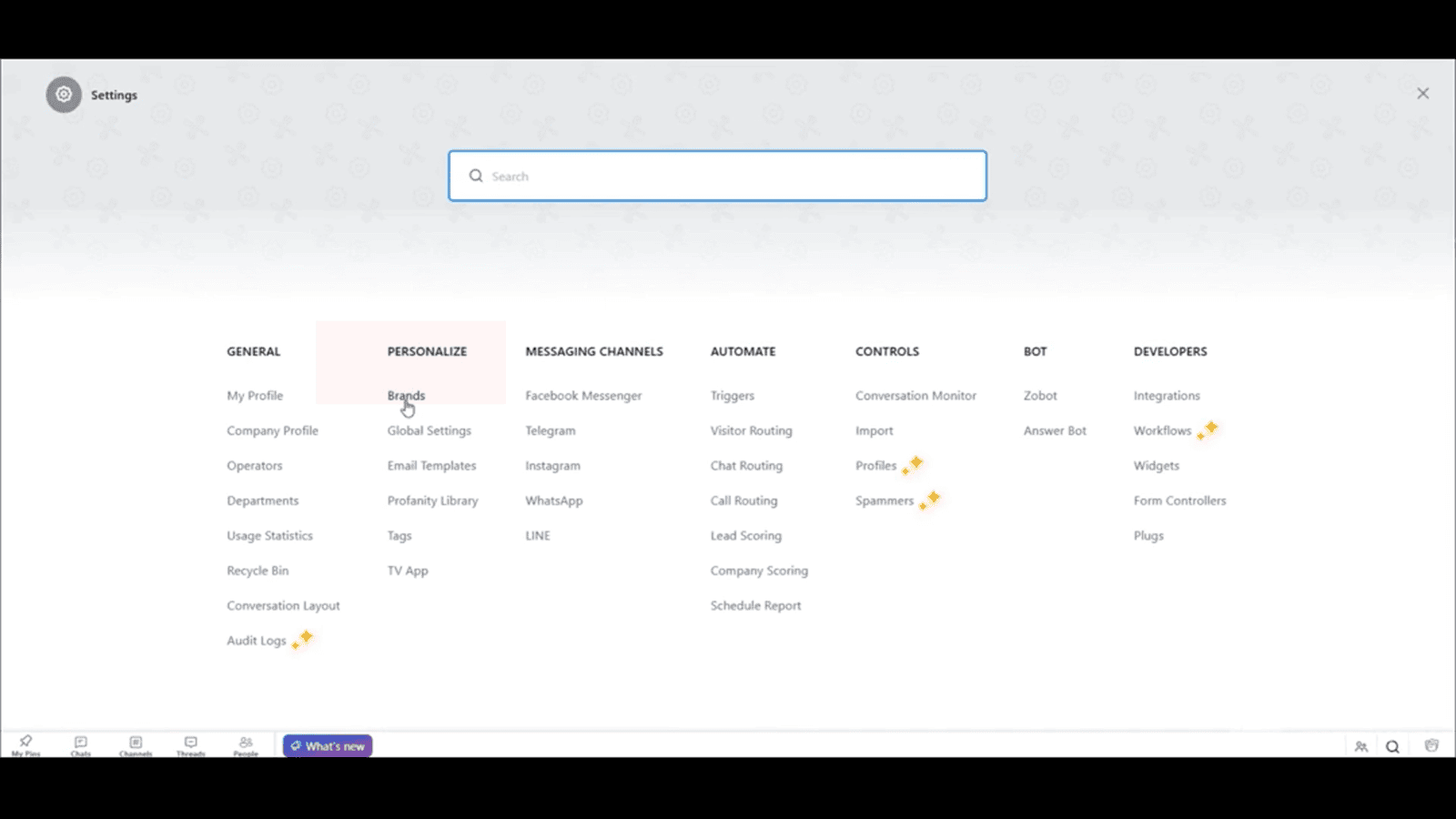
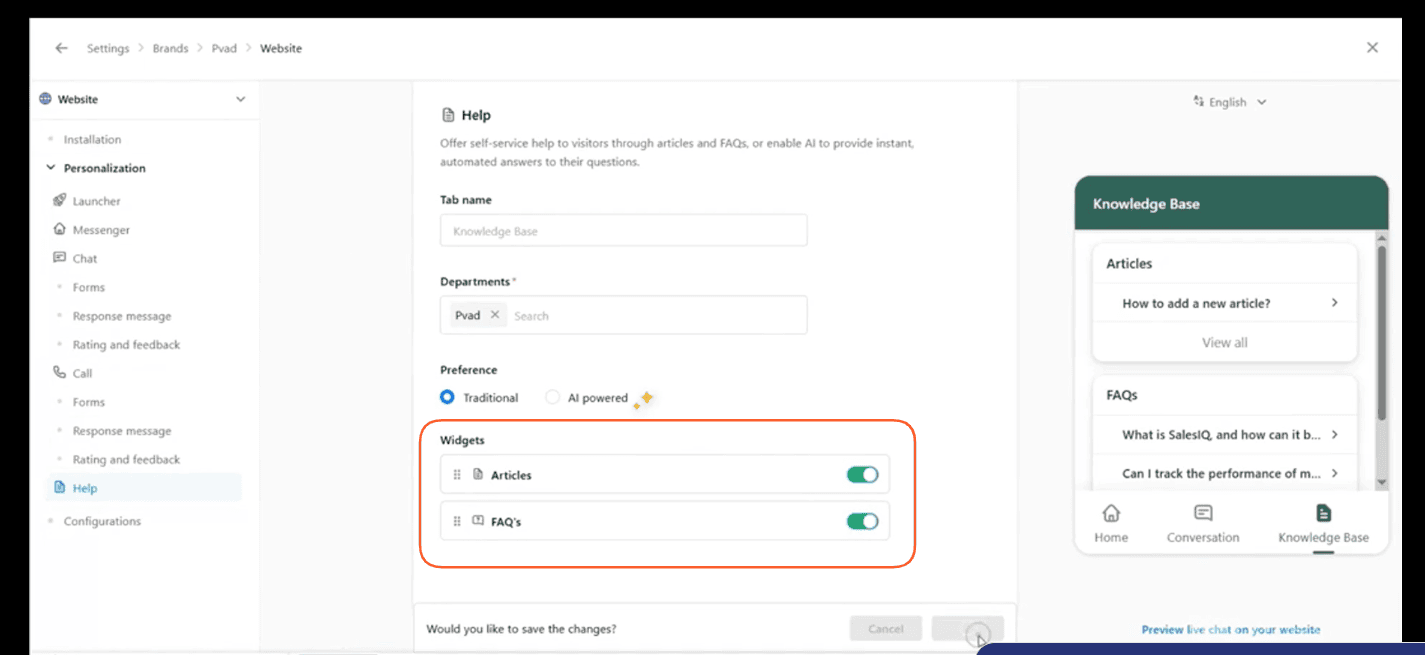
1.2 Under Personalize Click Brands
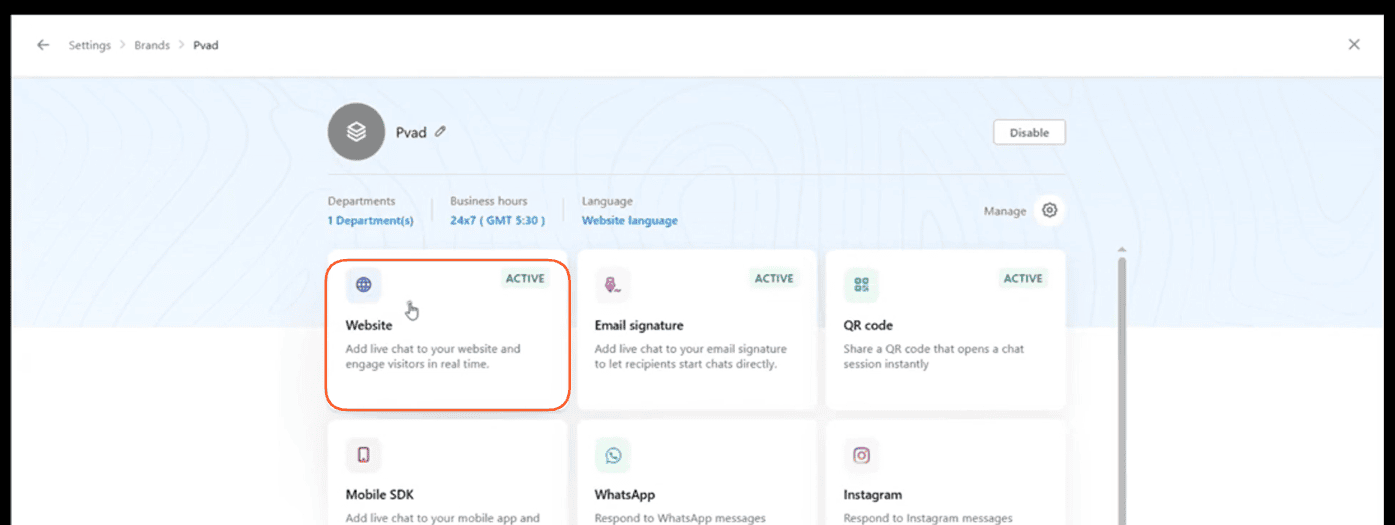
1.3 Select Website :
1.4 Enable "FAQ" From Help :
2. Compose and Publish FAQs
2.1 Click **Answer Hub** on the main left menu,
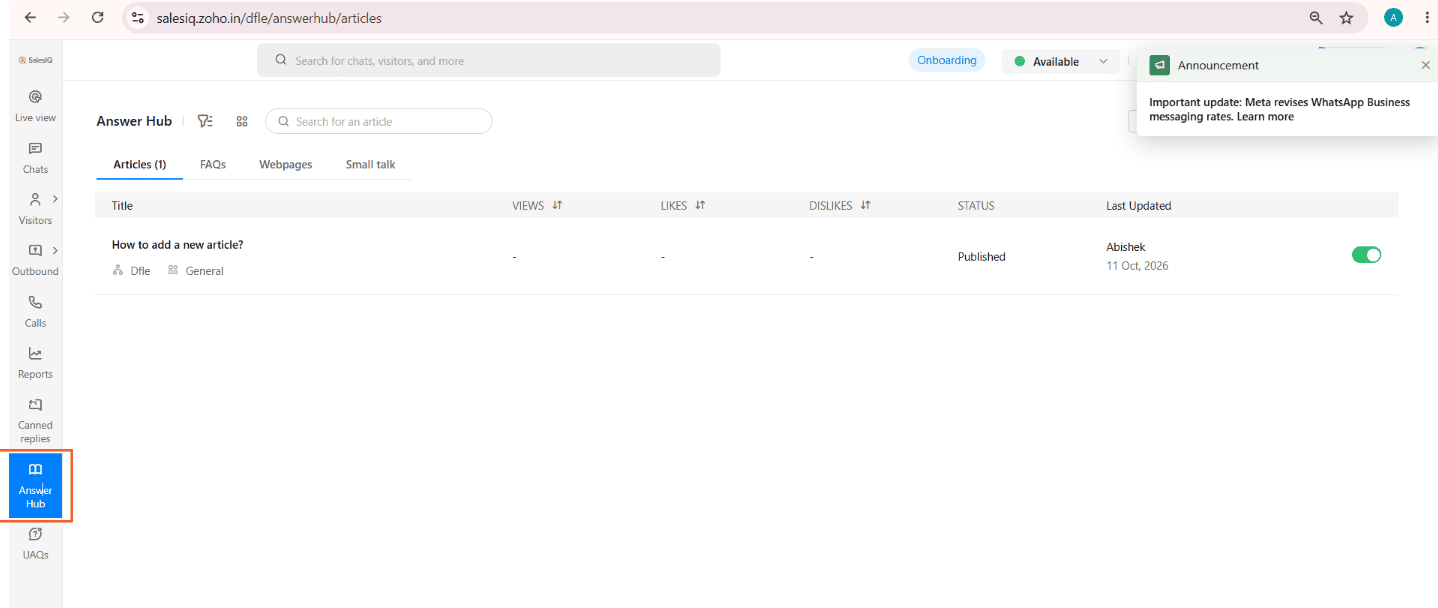
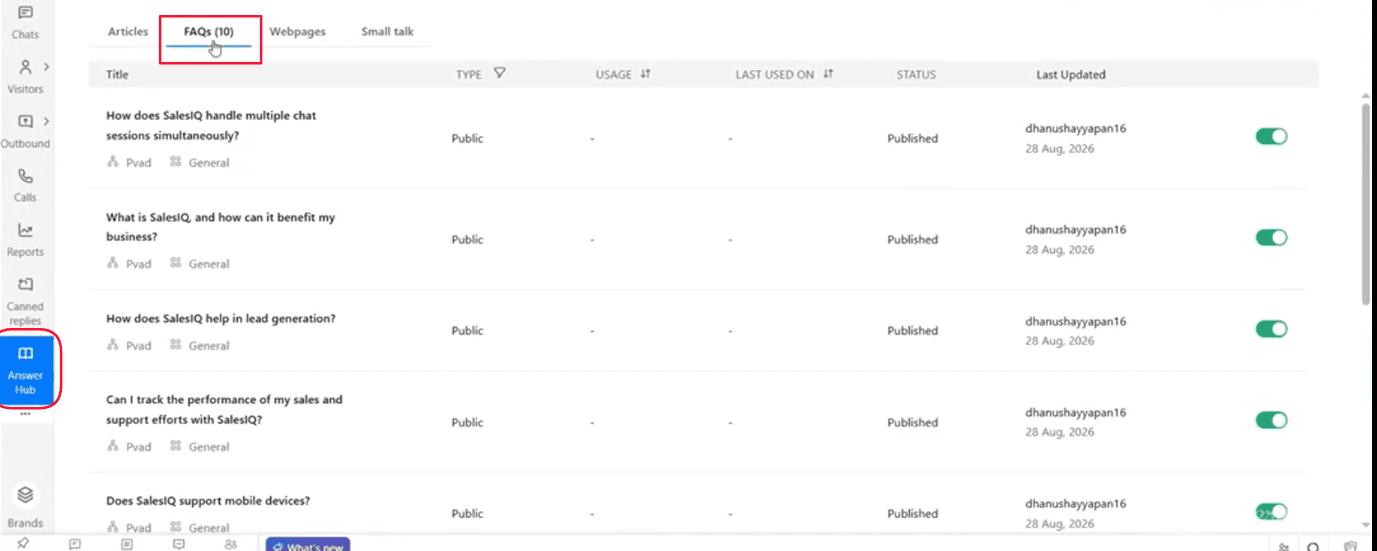
2.2 Under Answer Hub Select FAQs
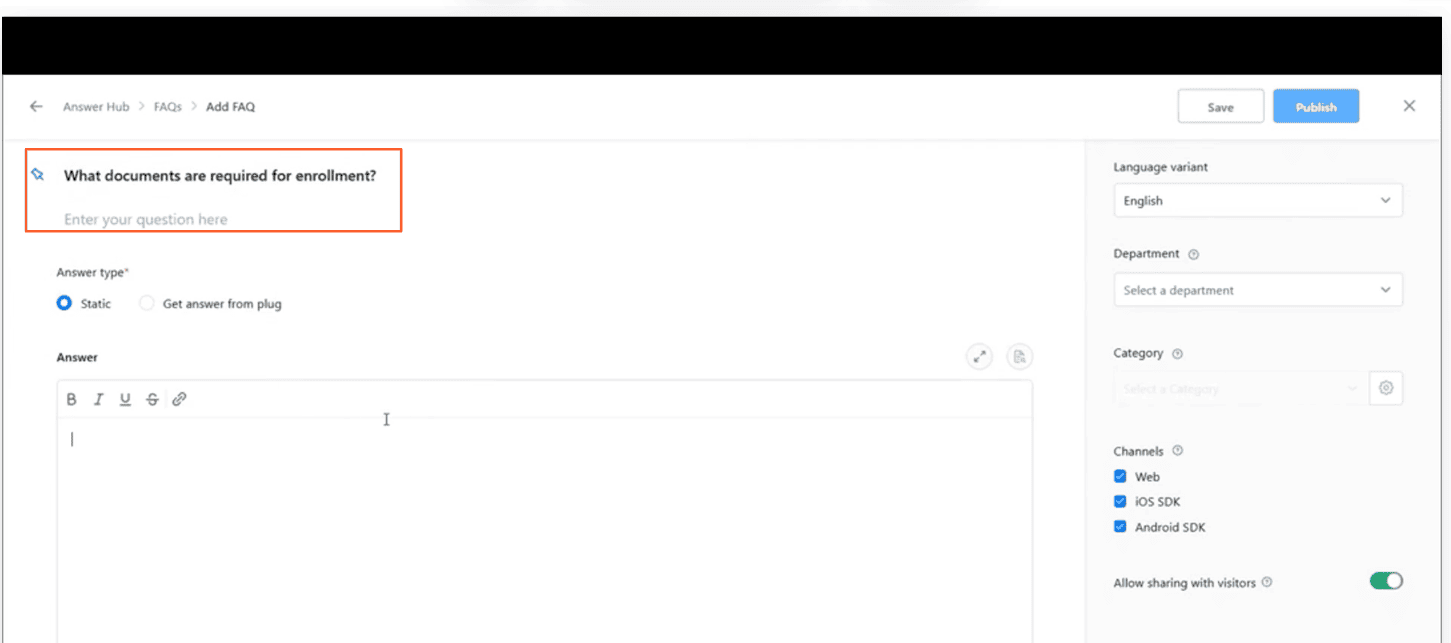
2.3 Click Compose on top of the FAQs
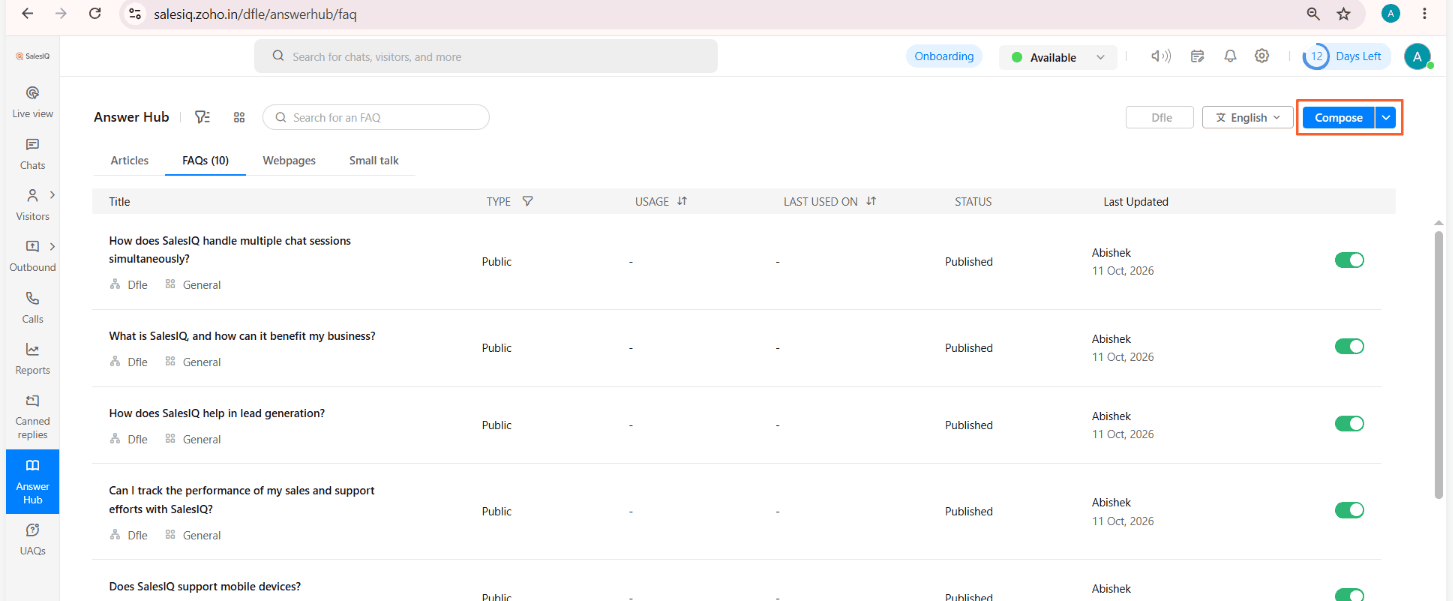
2.4 Enter the Question As You Wanted for FAQs
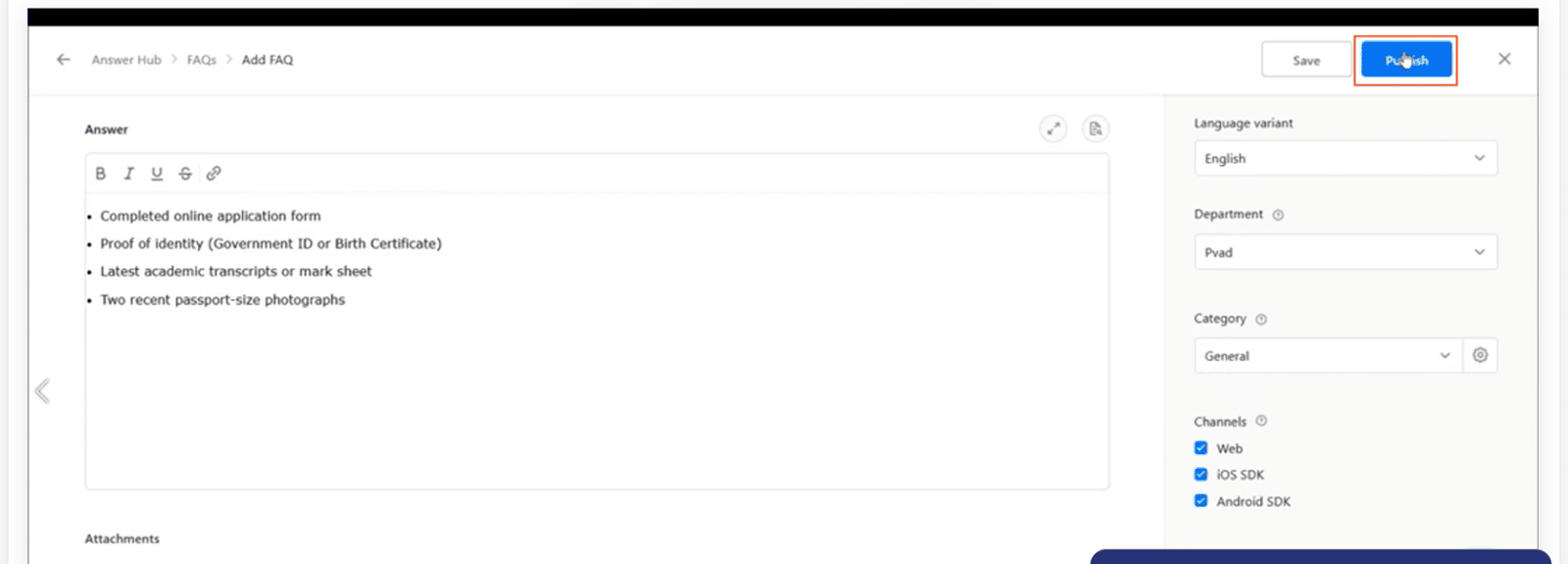
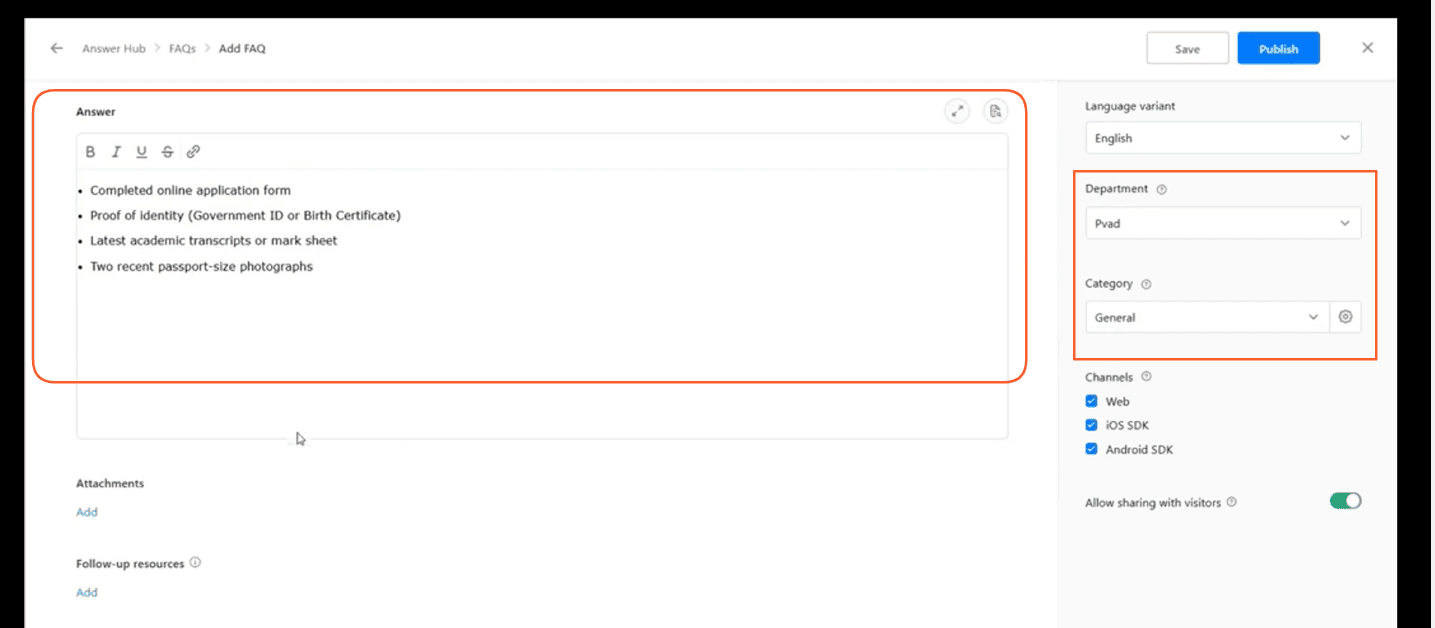
2.5 Click related answers for your Question
3. Test and View Live Knowledge Base
3.1 Click **Publish** to make your composed FAQ live,